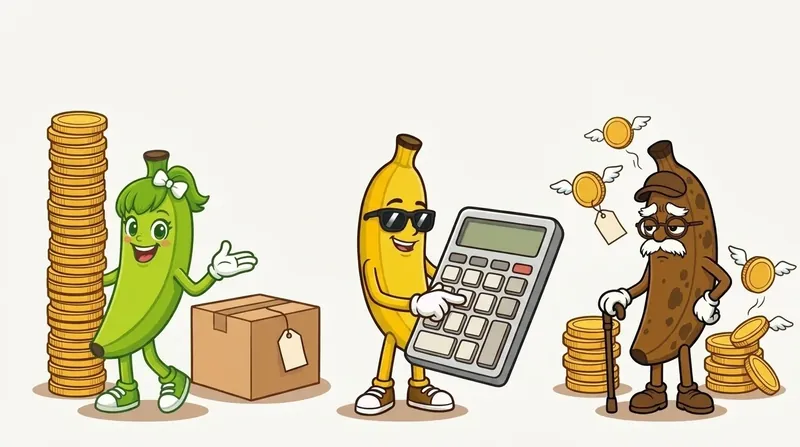


If a supplier quotes the price of one unit and the Amazon listing sells a 12-pack, your cost is understated twelve times over. The ROI on your screen looks spectacular, and it is wrong.
Pack-size mismatch is one of the most common reasons a wholesale deal looks better than it is. It was also the biggest single source of false buy signals we found when we built RipeBanana. This guide gives you the formula, a worked example and a short routine for catching it before you order.
Key takeaways
- Your true cost for a listing equals the supplier’s price per unit multiplied by the number of units in the Amazon listing.
- The “case pack” on a price list is the number of units per carton you must order. It does not change what one unit costs.
- One barcode can map to a single item, a 2-pack and a 6-pack, so a match on UPC alone does not prove the pack size matches.
- When you cannot tell the pack size, treat the deal as unverified and do not buy yet.
What is a multipack mismatch?
A mismatch happens when your supplier sells one thing and the Amazon listing sells a different quantity of it. The supplier’s price list says $1.20 per bottle. The Amazon listing you matched it to is “Pack of 12.” If your calculator takes $1.20 as your cost, it compares the price of twelve bottles with the cost of one.
The result is a profit and ROI figure that is far too high. Many tool vendors describe the same problem in their own guides, so it is a known trap, and it still catches sellers every day, because the match looks right on paper.
How do you calculate the true cost of a multipack?
True cost per listing
True cost = supplier price per unit × units in the Amazon listing
- Supplier price per unit
- $1.20
- Units in the Amazon listing
- 12
- True cost per listing ($1.20 × 12)
- $14.40
Use the number of units the buyer receives, not the number of units on the supplier’s case.
Here is the full example. The Amazon 12-pack sells for $24.99. For the example, assume Amazon fees and shipping add up to $9.00 per listing.
Same deal, two answers
Wrong: cost of one unit
Profit = $24.99 − $1.20 − $9.00 = $14.79. ROI = $14.79 ÷ $1.20 = about 1,232%. This looks like a gold mine.
Right: cost of twelve units
Profit = $24.99 − $14.40 − $9.00 = $1.59. ROI = $1.59 ÷ $14.40 = about 11%. A thin deal that a few price drops will erase.
Why not divide by the case pack?
A common mistake goes the other way. Price lists often have a “case pack” or “units per carton” column. That number tells you how many units come in the box you must order, which is your minimum order. It does not change the price of one unit.
Say a supplier sells a $0.99 item in cartons of 96, and the Amazon listing is a single item. Your cost is $0.99, not $0.99 ÷ 96. Dividing by the case pack would make your cost about one cent per unit and the ROI look astronomical. We caught exactly this error in our own early testing, and it produced a profit figure over 16,000%.
How do you spot a mismatch on an Amazon listing?
Check these in order
The title
Look for “Pack of 12,” “Set of 6,” “(12 Bottles)” or “2-Count.” Titles are the quickest clue.
The details section
Check fields such as item package quantity and number of items. If they disagree with the title, take that as a warning.
The images
Count what is in the photo. Multipack listings usually show more than one item.
Size words are not packs
“16 oz” or “500 ml” describe the size of one unit, not the quantity.
The supplier’s unit
Confirm whether your price is per unit, per case or per carton. Ask the supplier if the list does not say.
Be careful with a UPC match. One barcode can appear on a single item, a 2-pack and a 6-pack listing, so the same supplier line can match several Amazon listings with different pack sizes. Match the quantity, not just the barcode.
What should you do when you cannot tell?
If the title hints at a multipack but the quantity is unclear, or Amazon’s data looks wrong, treat the deal as unverified. Do not buy on a number you cannot trust. Ask the supplier, check a sample or compare with a listing you can confirm, then run the calculation again.
Amazon’s own catalog data is sometimes wrong. Some tools can re-run the numbers at the full pack price, for example $20 for a 4-pack that costs $5 a unit. You can do the same by hand: enter the full pack cost and sale price and read the ROI.
How does RipeBanana handle pack size?
When you upload a supplier list, RipeBanana reads the pack size from Amazon’s catalog data and from the listing title. If it can tell the quantity, it uses it in the cost. If a multipack is hinted but the count is unclear, it holds the product back: the product does not show as a buy, no alert fires, and a “Pack?” flag asks you to confirm the pack size on the product page.
Where it falls short: it depends on Amazon’s catalog data and on titles being clear. A wrong listing can still slip through, which is why we ask you to confirm anything the system marks as unclear. Treat the result as a first filter, then check the listing yourself before you order.
Can one UPC map to different pack sizes?
Yes. Sellers report one barcode appearing on a single, a 2-pack and a 6-pack listing. Always compare the quantity in the Amazon listing with the unit your supplier quotes.
Does the case pack change my cost per unit?
No. The case pack is the number of units per carton and tells you your minimum order. Your cost per unit stays the supplier’s price per unit.
What if Amazon shows the wrong pack count?
Trust what the buyer receives, not the metadata. Count the units from the title and images, and if they disagree, enter the cost for the full pack you believe the buyer gets. If you are still unsure, order a sample before a full purchase.
How big can the error get?
In the example above, a 12-pack turned an 11% deal into a 1,232% one. The error grows with the pack size, which is why very high ROI numbers should make you check the pack size before you celebrate.