
 Chrome extension
 RipeBanana Chrome Extension: the answer, on the product page.
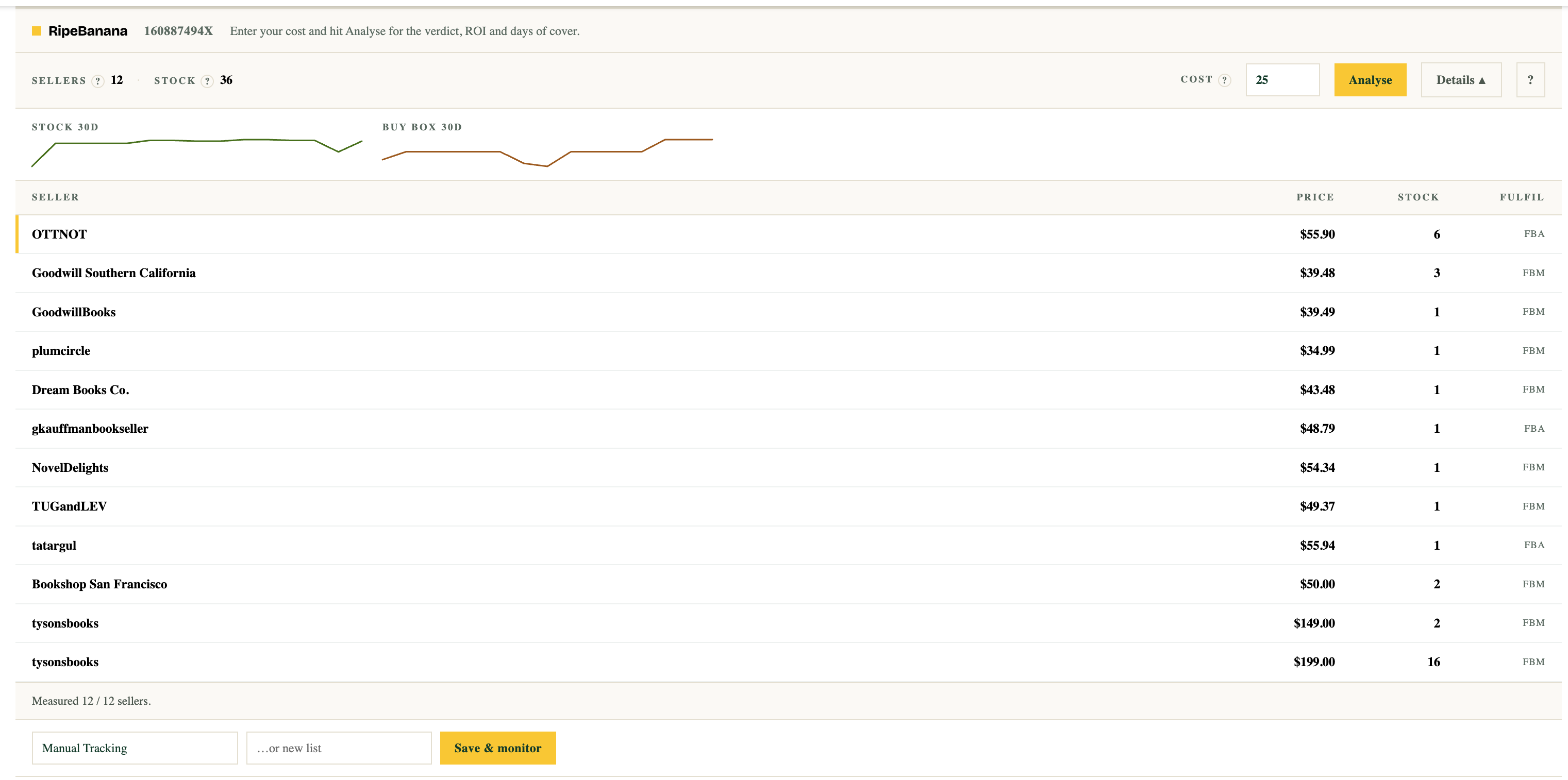
RipeBanana adds one strip to Amazon product pages: who is selling, how much stock they are sitting on, what you would make on a unit, and whether it is worth buying at all.
Works on amazon.com. Chrome and Chromium browsers (Edge, Brave, Arc). Current version 0.2.2.

What it shows
Per-seller stock, measured live
Amazon does not publish how many units a seller holds. The extension works it out the way you would by hand — briefly adding the item to your cart, reading the quantity, removing it again — in your own browser, on your own session.
Profit and ROI at the buy-box price
Amazon referral and fulfilment fees are estimated for the product and taken off, so the figure on screen is what one sale actually leaves you.
Days of cover
How long the competing stock lasts at the current sales pace. Thin cover with healthy margin is the open window — inventory ripens before the price does.
Save it and be told
Save a product and RipeBanana keeps watching it daily, so you hear about it the day it turns green instead of checking by hand. Daily watching is what a plan adds — $1 for the first 14 days on most plans, cancel anytime.
Green, yellow, brown
Every product gets a verdict from two things at once: whether it makes you money, and whether the stock on the market is actually moving.
GreenBuy now
The product clears your ROI bar and the stock still on the marketplace is selling fast — profit and timing line up, and the window is open.
 Yellow
Consider
Profitable and selling, but only one of those two signals is strong yet — worth sourcing if the numbers suit you, with less margin for error.
 Brown
BrownSkip
The margin is gone or the window has already passed — it does not meet your buying criteria.
Getting started
- 1
Add it to Chrome
One click from the Chrome Web Store. It asks for access to amazon.com and to ripebanana.io, and nothing else.
- 2
Open any Amazon product page
A strip appears under the page header showing the sellers, their prices, and how much stock each one holds. No account needed for this part.
- 3
Connect an account
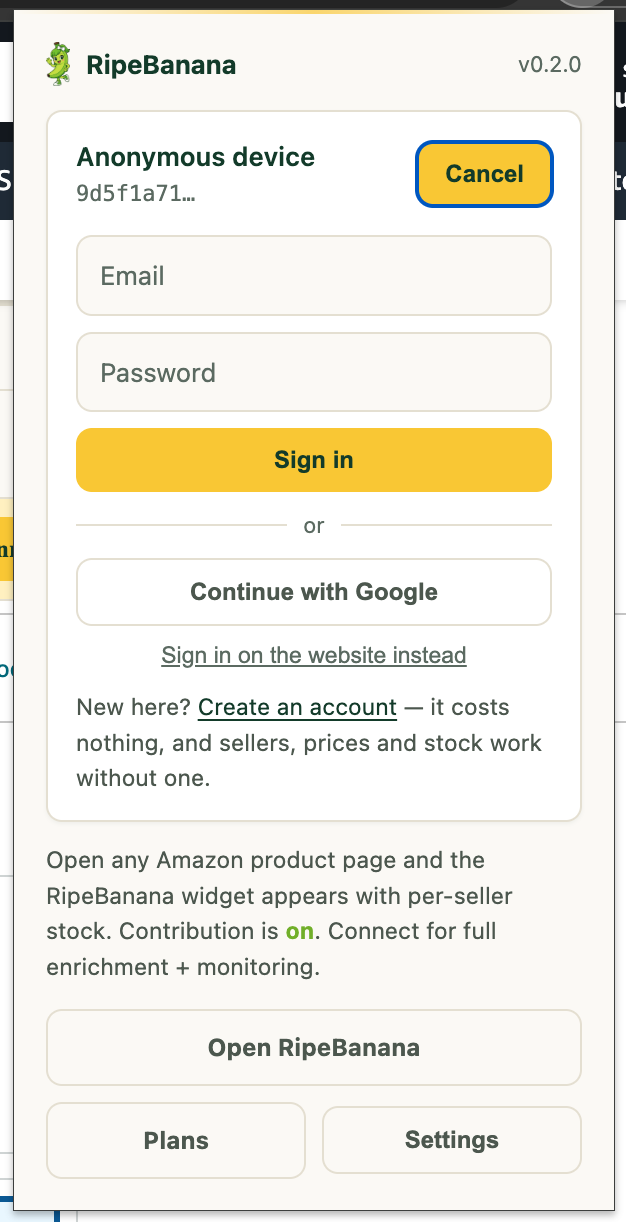
Click the RipeBanana icon in the toolbar and sign in — creating an account costs nothing. That unlocks the verdict, ROI, profit and days-of-cover: 10 analyses a day, and a plan lifts the limit. Reading sellers, prices and stock stays unlimited, with or without an account.
- 4
Type what the unit costs you
Enter your landed cost in the COST box and press Update. The verdict is a claim about your margin, so it needs your number — remembered per product, so you type it once.
Inside the extension, every figure has a ? beside it that explains what the number is for, and its settings page carries the same walkthrough.
How the stock reading works
Stock is measured through Amazon's own cart: the item is added to your cart for a moment, the available quantity is read, and the line is removed again. It runs entirely in your browser, one seller at a time, with a pause between them. The same product is not re-checked for 30 minutes.
The extension sends us the public market facts it read — the product, the sellers, prices, fulfilment and quantities. It never sends your Amazon credentials, your cookies, your cart contents or anything about your account, and you can turn the whole thing off in its settings.
As with any automated activity, very high-volume checking could draw Amazon's attention to an account. If you browse Amazon heavily all day, turn the setting off.
Buy earlier. Sell smarter.
The extension answers one product at a time. A plan watches your whole list and tells you the day something turns green — $1 for the first 14 days on most plans, cancel anytime in one click.